Why Choose a Robotic Camera System for Your Business?

Choosing a robotic camera system can change how a business communicates, records, and delivers live content. Instead of assigning an operator to every camera movement, teams can use programmable presets, remote control, and intelligent tracking. A presenter may walk from a desk to a whiteboard while the camera follows smoothly. A customer briefing can include several speakers without constant manual adjustment.

Small details matter.

In practical installations, the best results come from matching the camera to the room, network, lighting, and production goals. A compact conference room may need quiet movement and wide coverage. A training studio may require accurate tracking, clear audio integration, and repeatable framing. These decisions should be tested on site, not based only on product specifications. Experienced integrators also review control protocols, security settings, maintenance access, and staff training before deployment.

Automation is not magic.

A robotic camera system can reduce repetitive work, but it cannot replace thoughtful planning. Tracking may fail when people cross paths, lighting changes, or backgrounds become crowded. For that reason, businesses should keep manual controls and backup procedures available. Reliability grows through testing, documented workflows, and regular equipment checks. Teams should also consider privacy expectations and internal policies when cameras operate in shared spaces. The strongest investment is not always the most advanced model. It is the system that employees can understand, manage, and trust during an ordinary workday.
Why Choose a Robotic Camera System for Your Business?

What a Robotic Camera System Is and How It Works

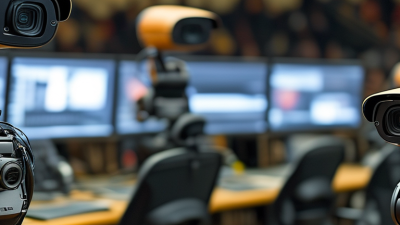
A robotic camera system pairs a motorized camera with control software, network connections, and sometimes microphones or room sensors. The camera can pan, tilt, and zoom without someone holding it. An operator may steer it with a touch panel, joystick, or computer interface. In some setups, preset positions move the camera to familiar views, such as a speaker’s seat or a presentation screen.

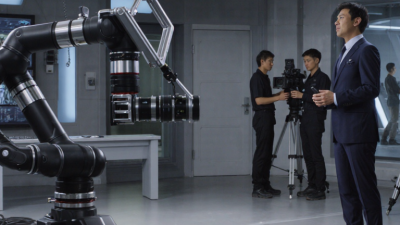
Consider a meeting room with a presenter walking between a table and a whiteboard. A camera operator can follow that movement remotely, while programmed controls may switch between preset views. The system sends video to a display or recording platform. Small details matter. Camera placement, lighting, and network quality affect the result; a lens facing a bright window may produce a dim image of the room.

Some systems use audio cues or visual tracking to frame a speaker automatically. These features can reduce routine adjustments, but they may need careful setup and testing. Not magic. A preset can look slightly awkward when people change seats, and automatic tracking may choose the wrong person in a busy room. Operators should check framing, focus, and movement speed before an event. The technology helps manage camera movement, but it does not replace thoughtful production decisions.

Why Choose a Robotic Camera System?

A robotic camera system remotely controls camera movement, while resolution determines the detail captured. The chart compares pixel counts for common video resolutions.

Pixel counts are calculated from standard frame dimensions: width × height. Robotic movement and camera resolution are separate system characteristics.

Core Components of a Business Robotic Camera System

A business robotic camera system is more than a camera that moves. Its core starts with an imaging unit, often paired with pan, tilt, and zoom mechanics. These parts let an operator frame a speaker, follow movement across a room, or capture a close view of a product demonstration. Image quality depends on more than resolution; lens range, room lighting, and camera placement all matter.

The control system connects the camera to a joystick, touchscreen, or software interface. Operators need clear controls for presets, focus, and movement speed. A preset can quickly frame a conference table, but it may miss a guest who sits outside the expected position. Test controls in the actual room, not only at a desk. Small details matter.

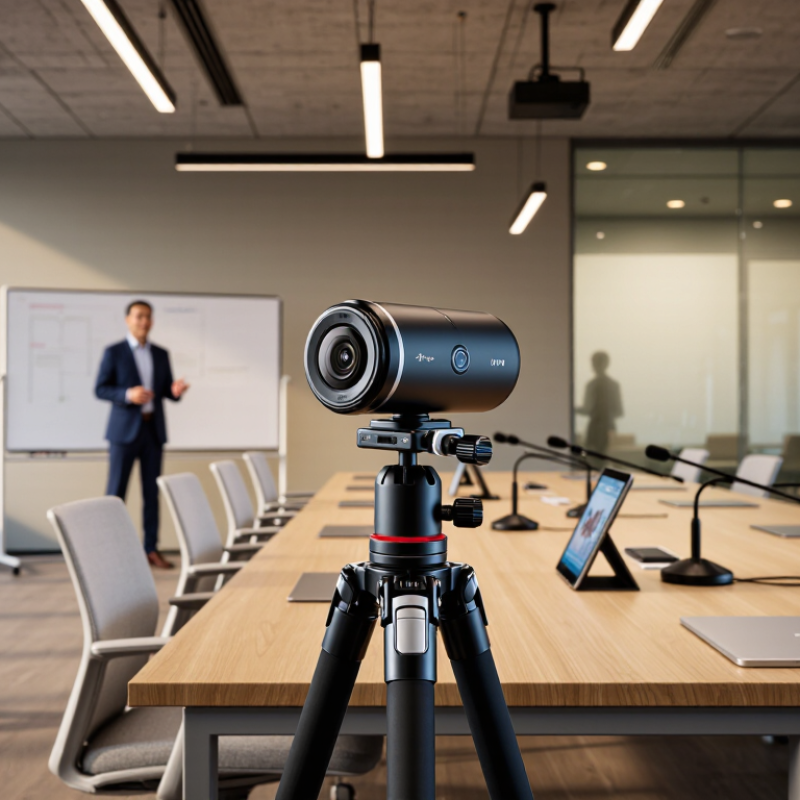
Mounting hardware, cabling, network connections, and power keep the system stable during daily use. A ceiling mount can reduce obstructions, while a wall or tripod setup may suit a smaller room. Check cable routes and network capacity before installation; troubleshooting them later is frustrating. Audio equipment and lighting are separate components, but they affect how useful the camera feed feels. There is no perfect layout for every business, and teams sometimes discover that only after a few real meetings. A short operational test can reveal awkward camera angles, slow presets, or controls staff find confusing.

Key Business Uses Across Industries

Robotic camera systems can support different business needs, not just polished video production. In retail, a camera mounted on a quiet, programmable head can follow a product demonstration or store training session. Staff can keep both hands free while the camera changes angle smoothly. Small details matter. A manager might review a shelf display from a fixed position, then capture a closer view of a label or checkout process.

Manufacturers can use robotic cameras to observe equipment demonstrations or document repeatable tasks from safer, consistent viewpoints. In healthcare training, they can record a procedure demonstration while keeping the operator’s hands and teaching materials in view. Schools and event venues may use them to follow a speaker, instructor, or stage performance without assigning someone to operate a camera throughout. Results depend on room layout, lighting, and careful camera placement. A camera cannot fix poor audio. Nor does automation remove the need for consent, access controls, and thoughtful handling of recordings. Teams should test movement speed and framing in the actual space; a preset that looks smooth in an empty room may feel distracting once people are present.

Why Choose a Robotic Camera System for Your Business? - Key Business Uses Across Industries

Industry Typical Robotic Camera Use Business Purpose Useful Performance Measures Practical Considerations
Healthcare Remote-controlled cameras for clinical education, training sessions, and recording procedures where permitted. Give authorized learners a clear view while reducing the need for an operator to move around the room. Setup time, camera repositioning time, image clarity, and number of sessions supported. Follow patient-consent requirements, privacy rules, infection-control procedures, and facility policies.
Education Automated or remotely operated cameras for lectures, demonstrations, and hybrid classes. Capture instructors and teaching areas for live viewing or later access by students. Recording availability, coverage of the teaching area, operator time, and accessibility of recordings. Check room acoustics, lighting, campus network capacity, and consent or recording policies.
Manufacturing Pan-tilt-zoom cameras for observing production lines, equipment, and restricted-access work areas. Support remote monitoring and help staff review visual conditions without repeatedly entering the area. Inspection coverage, time to locate a visual issue, equipment downtime, and frequency of site visits. Choose suitable protection for dust, vibration, temperature, and other conditions at the installation point.
Retail Operator-controlled cameras for reviewing store entrances, checkout areas, and other designated spaces. Support security monitoring and incident review across a store or multiple locations. Coverage of designated zones, time to retrieve footage, system availability, and review workload. Set clear access controls, retention periods, signage, and privacy safeguards in line with local law.
Logistics and Warehousing Remote cameras for observing loading bays, conveyor areas, inventory zones, and facility access points. Help teams check operational conditions and investigate handling or access events from a central location. Time to verify an event, camera uptime, coverage of key areas, and number of manual checks required. Plan camera positions around moving equipment, shelving, changing stock levels, and network coverage.
Broadcasting and Events Robotic pan-tilt-zoom cameras for repeatable shots in studios, auditoriums, and event spaces. Provide remotely adjustable framing for live production, presentations, and recorded programs. Shot-reframing time, number of camera positions, production crew requirements, and recording continuity. Test control latency, audio synchronization, lighting, sightlines, and backup procedures before production.
Construction Fixed or remotely steerable cameras for periodic site views and observation of active work areas. Help project teams review site progress and coordinate work without relying solely on in-person visits. Image availability, site-visit frequency, progress-review time, and coverage of scheduled work zones. Use weather-resistant equipment where needed and assess power, connectivity, mounting, and site-safety requirements.
Transportation and Infrastructure Remote cameras for monitoring stations, terminals, platforms, and other operational areas. Give authorized staff a visual view of facilities to support routine operations and incident assessment. System availability, time to access a view, coverage of priority locations, and incident-review time. Coordinate installation with safety procedures, network security, data-retention rules, and privacy requirements.

Note: Performance measures are examples for evaluating a system; actual results depend on camera placement, connectivity, operating procedures, and the business environment.

Operational and Financial Benefits for Organizations

Why Choose a Robotic Camera System for Your Business?

A robotic camera system can turn daily production into a more consistent operation. In a meeting room, studio, or training space, preset movements keep framing steady. Operators can control several cameras from one workstation. This reduces repeated trips across the room and limits setup delays.

The financial case deserves careful measurement. Deloitte’s 2024 Smart Manufacturing and Operations Survey found that 86% of manufacturing executives view smart operations as an important competitiveness driver within five years. That finding does not guarantee savings for every organization. However, it supports investment in tools that improve repeatability and resource use. McKinsey Global Institute estimates that automation could increase annual productivity growth by 0.8% to 1.4%. A robotic camera system may contribute through lower travel costs, fewer manual adjustments, and more reusable content.

The business case is not automatic. Poor lighting, weak network planning, or unclear operator training can erase expected gains. It can even create new maintenance work. Organizations should track setup time, labor hours, equipment use, and production interruptions before installation. After deployment, compare those measures monthly. A small training team can manage camera presets, remote monitoring, and basic troubleshooting. Human judgment still matters. A camera may follow movement perfectly, yet miss the emotional moment. That limitation needs honest review.

Factors to Evaluate When Choosing a System

Choosing a robotic camera system requires more than comparing resolution and price. The right decision starts with your room, workflow, and production goals. In a real meeting room, test framing from different seats and distances. A higher resolution is not always better if lighting is poor or storage costs rise. Test autofocus, exposure changes, and image clarity near windows. Movement matters too. Confirm pan, tilt, and zoom are smooth, quiet, and accurate.

Then evaluate integration, reliability, and support. The system should work with your meeting, streaming, or recording platform without complicated workarounds. Check connection options, control interfaces, response speed, and compatibility with existing equipment. Security deserves careful attention. Ask about user permissions, software updates, data protection, and fault recovery. I have seen teams overlook mounting space and cable access. That oversight can delay installation.

Tips

Record a short test from the actual room. Review faces, colors, motion, and audio together. Compare performance during bright and dim conditions. Ask staff to operate the system without training. If they struggle, the design may be too complex. Also, calculate maintenance and replacement costs, not only the initial purchase. A practical choice may look less impressive on paper, but perform better every day.

SERVO-ROBOT Inc
Privacy Overview

This website uses cookies so that we can provide you with the best user experience possible. Cookie information is stored in your browser and performs functions such as recognising you when you return to our website and helping our team to understand which sections of the website you find most interesting and useful.